A better Bing Images alternative for face search and people search
Bing can help you search images. ReverseFaceSearch helps you search people by face. Upload a photo to find public social profiles, image matches, criminal records, mugshots, and sex offender records across U.S. public sources.
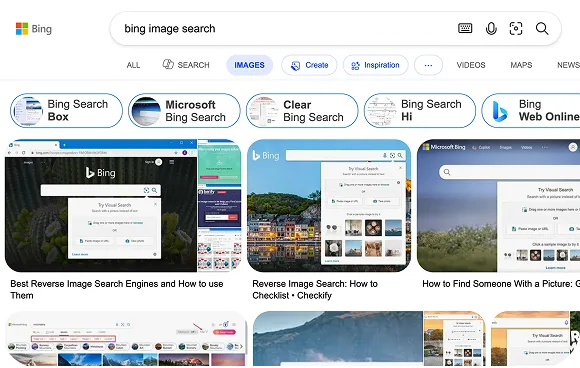
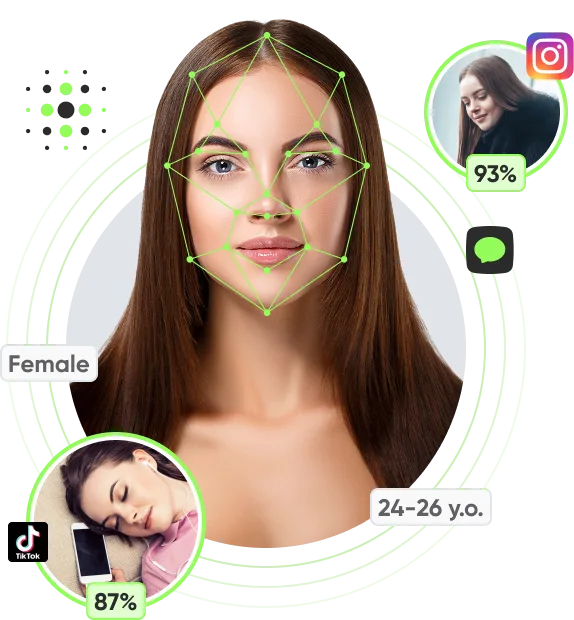
Bing Images vs ReverseFaceSearch: What is the difference?
Bing Images is made for browsing and matching visual content. It can be helpful when you want to recognize a product, compare similar pictures, identify a place, or search for an image that already appears online.
Face search is different. When a photo contains a person, Bing may treat the image as ordinary visual content instead of focusing on identity. It can miss useful results, fail on non-famous people, or return matches only when the exact same photo is already indexed. In some cases, face-related searches may be limited or blocked altogether.
ReverseFaceSearch takes a different approach. It is not trying to be another general image search engine. It is built around one specific question: “Can this face be connected to public online sources?”
Upload a face photo, and ReverseFaceSearch searches across public U.S. sources, social profile signals, image matches, criminal records, mugshots, and sex offender records to help reveal possible identity context behind the person in the image.
That makes ReverseFaceSearch a stronger Bing Images alternative when you are not just looking for similar pictures, but trying to search, verify, or investigate a person by photo.
Why Bing Images falls short for face search
Bing reverse image search can be useful when you need to identify an object, find a copied image, locate a product, or discover visually similar pictures.
But if the image is about a person, you need more than general visual matching.
ReverseFaceSearch combines reverse image matching, face-focused search, facial similarity signals, age and gender detection, knowledge-led retrieval, public profile discovery, and U.S. public-record search. It can help you find someone by picture, check whether a profile photo appears elsewhere, and understand whether a face is connected to public online sources.
Learn more about our reverse image search for peopleReverseFaceSearch also has its own search index and orchestrates many third-party discovery services under the hood, including famous search engines. In some cases, ReverseFaceSearch may additionally use Google Images, Bing, and other tools to improve search discoverability, then add its own face-focused ranking, filtering, and public-record context on top.
That is why ReverseFaceSearch is not just another reverse image search tool. It is a comprehensive face search platform.
Learn more about how our search process works
Bing search came up short? Try ReverseFaceSearch
Bing Images can show matching pictures. ReverseFaceSearch helps connect a face to public profiles, records, and identity signals across U.S. sources.
Go beyond similar images. Search by face with ReverseFaceSearch.
Comparison matrix: Bing Images vs ReverseFaceSearch
Bing is a good choice when you want a free tool for broad visual search. ReverseFaceSearch is the better choice when the image contains a person and you need deeper face-focused search, social profile discovery, or U.S. public-record context.
| Search capability | Bing Images / Bing Visual Search | |
|---|---|---|
| Best use case | Finding what appears in an image. | Finding who may be behind a face. |
| Face-based input | Limited. Bing may reject, ignore, or underperform on face-focused searches. | Yes. ReverseFaceSearch is designed to search from photos that contain a face. |
| People search by photo | Weak. Mostly useful for celebrities, public figures, or exact image matches. | Yes. ReverseFaceSearch is built to help find and verify people from a face photo. |
| Reverse image search for copied photos | Sometimes useful when the same image is publicly indexed. | Yes, when the image contains a detectable face and relevant public matches exist. |
| Finding the same person in different photos | Poor. Bing is not optimized for matching a person across different images, angles, or profiles. | Yes. ReverseFaceSearch uses face-focused matching, ranking, and discovery signals. |
| Social profile discovery | Limited and inconsistent. | Yes. ReverseFaceSearch searches public online sources and social profile signals. |
| Catfish and fake profile checks | Limited. Bing may miss reused faces, altered images, or profiles under different names. | Yes. ReverseFaceSearch is built for suspicious profile checks, catfishing detection, and impersonation research. |
| Public records search | No. | Yes. ReverseFaceSearch can search U.S. public records connected to people search workflows. |
| Criminal records and mugshots | No. | Yes. ReverseFaceSearch can help search U.S. mugshots, criminal records, and related public sources. |
| Sex offender records | No. | Yes. ReverseFaceSearch can help search U.S. registered sex offender records by face. |
| Face-focused ranking | No. Bing ranks general image and web results. | Yes. ReverseFaceSearch ranks possible matches around facial similarity and people-search context. |
| Uses multiple search sources | Mainly Bing’s own image and web index. | Yes. ReverseFaceSearch has its own search index and also orchestrates third-party sources, including famous search engines, to improve discoverability. |
When to use Bing Images vs ReverseFaceSearch
Use Bing Images or Bing Visual Search when you want to identify what is in a photo: a product, object, landmark, animal, plant, outfit, logo, or similar image. Bing is free, fast, and useful for simple visual discovery.
Use ReverseFaceSearch when the photo is about a person and the question is about trust, identity, or safety. ReverseFaceSearch is built for reverse image search by face, helping you find someone by picture, check suspicious dating profiles, detect catfishing or impersonation, discover public social profiles, and search U.S. criminal records, mugshots, and sex offender records.
Google Images is generally stronger than Bing Images for reverse image search. But ReverseFaceSearch is the stronger choice when you need people search by photo, face-focused discovery, and public-record context in one place.
Learn more about sex offender checksLearn more about our criminal records searchLearn more about catfishing and impersonation scams
Looking for a Bing Images alternative?
ReverseFaceSearch is built for people search by photo, helping you find public profiles, records, and possible red flags from a face.
Better context starts with a face check.